StellarFirm for Chrome
StellarFirm for your browser
AI Agents, Agentic Assistants for your work, do your task in your own browser, on your StellarFirm account.
It researches pages and acts on forms. Sending, spending, deleting and closing wait for your Approve.
Coming soon to the Chrome Web Store.
In your browser
Research the page, or do the task.
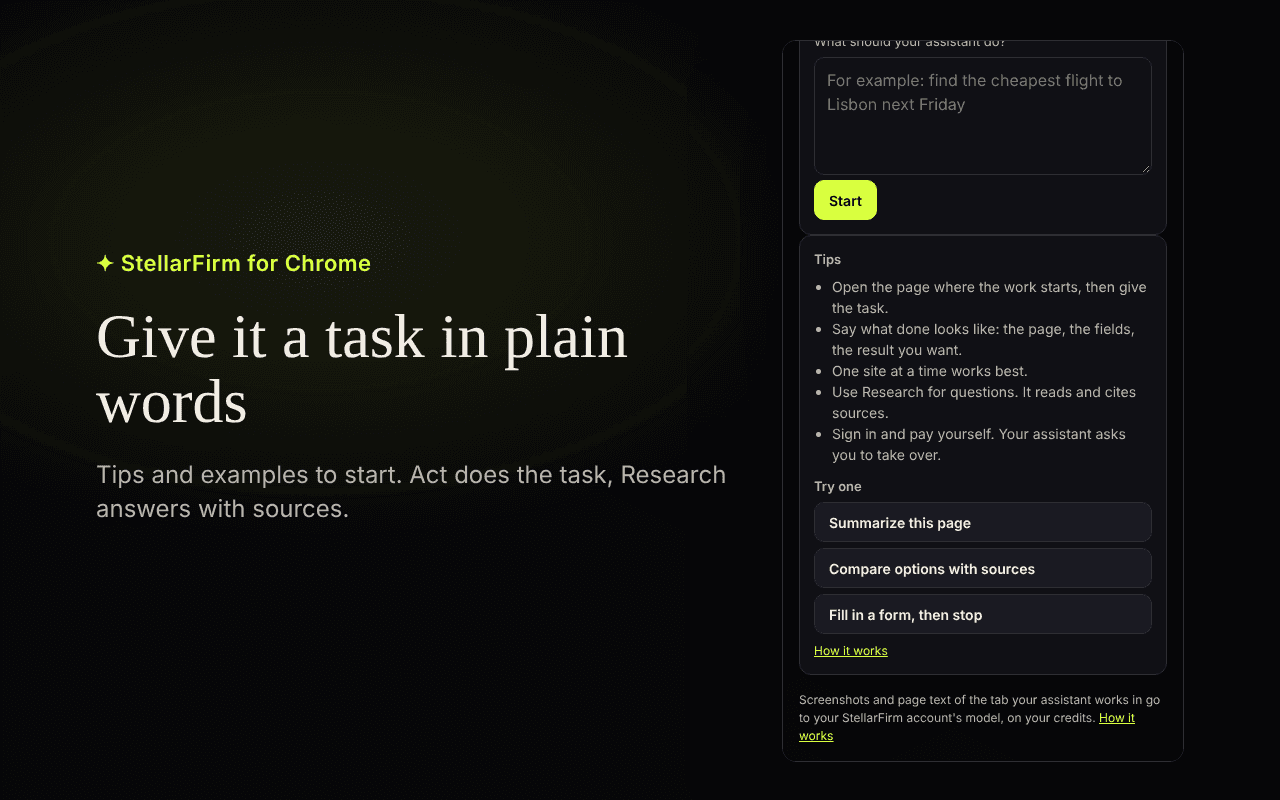
You type the task in a side panel next to the page you already have open. Two ways to work, both on your StellarFirm account.
Research
It reads the page, follows links and cites its sources. It does not type or submit.
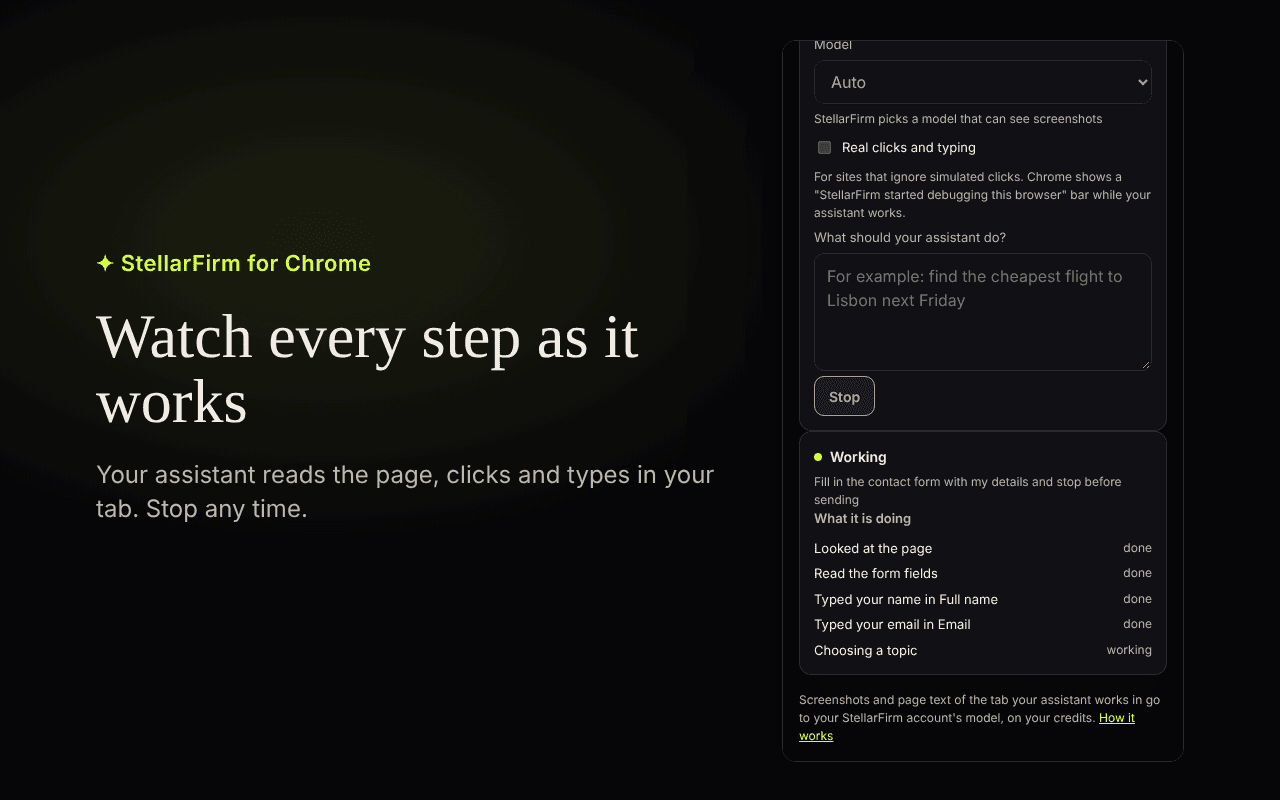
Act
It clicks, types and fills in a form on the page in front of you. You watch each step, and you can choose Stop at any time.
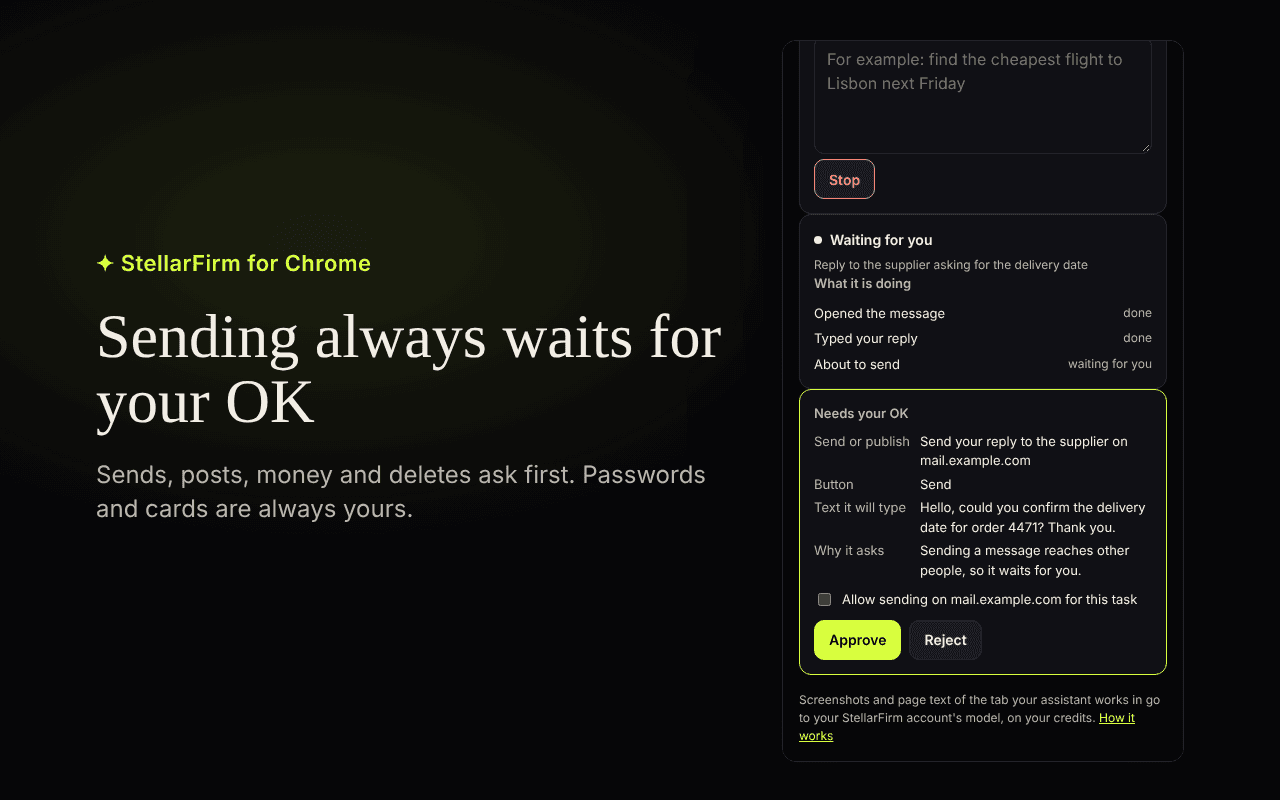
Your Approve
You decide what goes out.
Reading, scrolling and filling in a form run. Submitting a form, and anything that sends, spends, deletes or closes, waits on a card in the panel. The card says what it will do, on which site, and why it asks.
Money always asks
A payment, an order or a subscription waits for your Approve every time. No switch turns that off.
Passwords stay yours
It never types a password, a one-time code or a card number. When it reaches one, it stops and asks you to do that part.
Give it a task. Watch every step.
Coming soon to the Chrome Web Store.
The listing is not open yet. There is no store address to open today. Sign up free, and the extension uses the StellarFirm account you already have.
Questions
- What does it do in the browser?
- An AI Agent Assistant works in a side panel on your StellarFirm account. Research reads pages and cites sources. Act clicks, types and fills in forms.
- Does every step wait for Approve?
- No. Reading, scrolling and filling in a form run. Submitting, sending, spending, deleting and closing wait for your Approve, on a card that says what will happen.
- Will it type my password or card number?
- No. It never types a password, a one-time code or a card number. You do that part yourself.
- Can I install it from the Chrome Web Store?
- Not yet. StellarFirm for Chrome is coming soon to the Chrome Web Store. Sign up free now, and the extension uses that account when the listing opens.
Sign up free. The extension uses your account.
Sign up free at stellarfirm.ai. New accounts get free credits.